


Alive Wallpaper Launcher
3.657.00 Reviews
App Specs
- Version
- 116
- Updated On
- License
- Free
- Downloads
- 100,000+
- Developer
- Enchanted Realms Studio
- Categories
- Personalization
- Platform
- Android
Screenshots
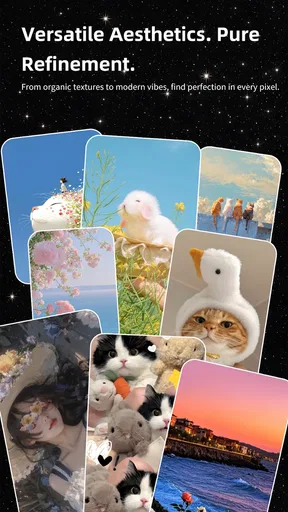
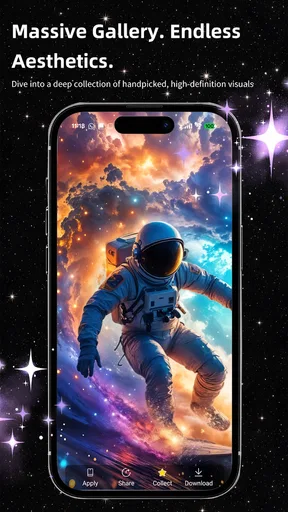
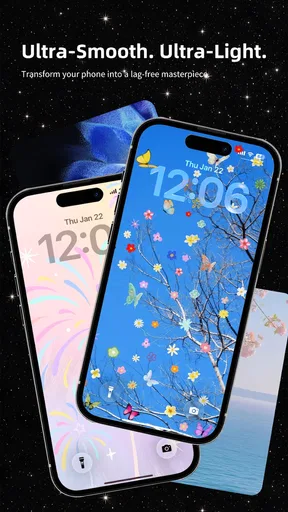
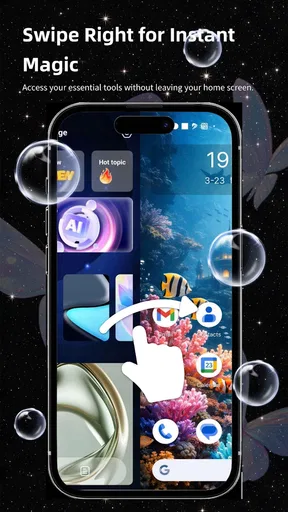
 Analysis by AppCompare
I usually notice my phone’s wallpaper when I unlock it in the middle of an ordinary task: checking a message, pulling up a calendar, or looking for directions. A still image can fade into the background, while a moving one can make the screen feel more personal. That is the appeal behind Alive Wallpaper Launcher, a free personalization app from Enchanted Realms Studio. It is aimed at people who want their phone to feel less generic without turning home-screen setup into a hobby that takes over an afternoon.
The practical question is whether a wallpaper hub and launcher belong in the same routine. A wallpaper changes the backdrop; a launcher can affect how you approach the home screen itself. I’d consider this app if I want those choices gathered into one place, but I would not assume every visual option suits every phone or every taste. Live imagery is most satisfying when it adds atmosphere without making icons harder to read or the screen feel busy.
Begin with the screen you already use
Before changing anything, I’d take a quick look at my current home screen: how many icons I rely on, whether I use widgets, and which parts of the wallpaper remain visible. That small check helps avoid choosing an attractive image that gets covered by app shortcuts. With a live wallpaper, I’d also think about when I actually see the background. If I unlock my phone dozens of times a day, a restrained animation may be more pleasant than an intense effect that competes with every notification.
The app is listed in the personalization category, and its short name, Alive Wallpaper, makes the main draw clear: visual change. The broader launcher angle matters because people often want a coordinated home screen, not just a new picture. I would start with one wallpaper choice and leave other layout decisions alone for the first day. That makes it easier to judge the image itself rather than trying to decide whether several simultaneous changes improved the phone.
Bringing Your Screen to Life
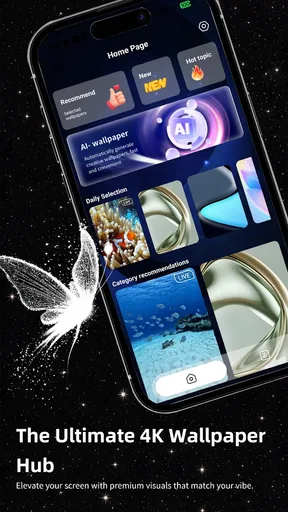
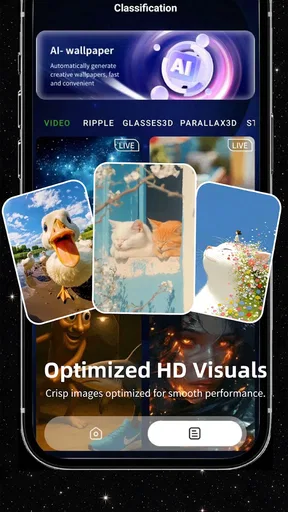
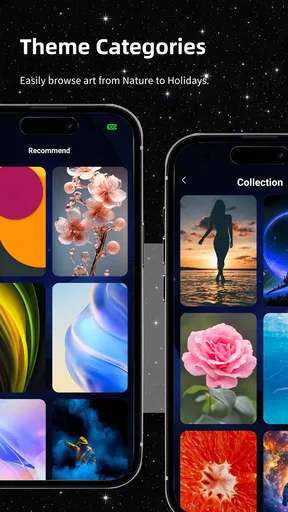
At its core, Alive Wallpaper Launcher is all about transforming your static wallpaper into a dynamic visual experience. Imagine glancing at your phone and seeing subtle animations or vibrant live images that react to your touch. Sounds pretty cool, right? This app offers a variety of categories to choose from, whether you're into serene landscapes, bustling cityscapes, or abstract art.
A big selling point is how seamlessly these wallpapers integrate with your daily use. They don’t hog your phone’s resources or drain the battery, which is often the downfall of other live wallpaper apps. The developers have clearly put in the work to ensure that performance is optimal, so you can enjoy a snazzy home screen without any of the lag.
Customization at Your Fingertips
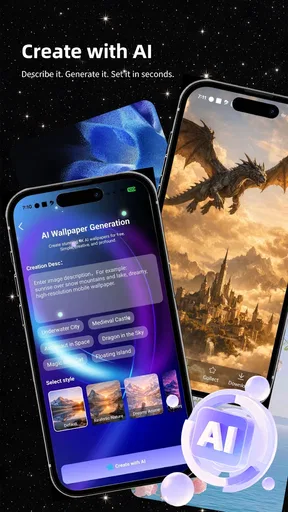
One of the standout features is the level of customization. With Alive Wallpaper Launcher, you can tweak everything from the speed of the animation to the color palette. It’s almost like having a mini design studio right in your pocket. The app’s interface is super intuitive, making it easy even for those who aren’t tech wizards to create something that feels personal and unique.
Worth Reading Before You Choose

EA SPORTS FC Mobile 26 Is a Bigger Football Game, but It Takes Time

Flipboard Shows What News Apps Must Do Beyond the Feed

Switching to Android Auto Means Rethinking Your Driving Routine

Google Calendar Makes a Crowded Week Easier to Manage

Ludo King Makes the Most of the Minutes Between Plans

Baby Panda World Brings Quick Play to Modern Phones, but Its Game Library Feels Busy
Plus, the regular updates mean there’s always something new to explore. The developers are constantly adding fresh content, ensuring that you can keep your home screen looking as dynamic as ever.
Easy on Resources
Now, we all know that not every phone is equipped with the latest hardware. The great thing about this app is that it’s designed to work smoothly on a wide range of devices. The animations are optimized to be light on both the CPU and battery, meaning you won't find yourself scrambling for a charger halfway through the day.
It’s a smart move by the developers, considering how battery consumption is a major concern for anyone using live wallpapers. You get to enjoy the aesthetic benefits without any of the usual drawbacks. It’s a win-win situation!
For a realistic daily test, I’d set a calmer scene before a workday, then use the phone normally rather than repeatedly opening the wallpaper app to admire it. I’d check whether text and icons remain easy to spot in bright daylight, whether the motion feels distracting during quick tasks, and whether the phone still behaves the way I expect when I return to the home screen. Those checks are more useful than judging a wallpaper from its preview alone.
There’s also a useful compromise for people who like movement but value a tidy screen: choose an image whose main visual action sits away from the areas occupied by shortcuts and widgets. A high-contrast scene may look striking in a preview but make labels less legible once it is behind them. I’d favor a wallpaper with calmer space where my most-used icons sit, then reserve busier art for a less crowded layout.
Making the handoff from browsing to daily use
The wallpaper is only one part of the handoff. After choosing a look, I’d return to the home screen and see how it works alongside my normal arrangement, rather than treating the preview as the finished result. If the launcher changes how the home screen feels, familiar shortcuts and habits matter more than a polished first impression. I’d keep essential apps in their usual places at first, then adjust only if the new layout makes them easier to reach.
This is where an all-in-one personalization app can be convenient compared with switching between a wallpaper collection and a separate launcher. Keeping the visual decision and home-screen experience in one workflow can save a little back-and-forth. The trade-off is that someone who already loves their current launcher may prefer a dedicated wallpaper app, which lets them change the background without reconsidering a familiar setup. I would not switch launchers just for novelty if my existing arrangement already works well.
The app has an average rating of 3.6 from around 250 ratings, with roughly 60 written reviews, and it has passed 100,000 installs. I read that as evidence of a real audience, not a guarantee that the experience will suit my device or preferences. It is free and rated for Everyone, so it is approachable to try, but the useful test is still whether the wallpaper remains comfortable after the novelty wears off.
Who will enjoy the change—and who may not
I think this is best suited to someone who enjoys refreshing their phone’s appearance and is open to using a launcher as part of that change. It can be a good fit if a static background feels stale, if you like changing the mood of your screen, or if you want visual customization without designing artwork from scratch. A student might choose a calm look for study days; someone who uses their phone mostly for messaging might prefer a simple image that does not crowd the chat and utility icons on the home screen.
On the other hand, I would skip it if I want my phone to stay as close as possible to its current setup, or if I care more about a fixed, carefully arranged home screen than animated visuals. People sensitive to motion may also prefer a static wallpaper, and anyone who prioritizes conserving every bit of battery should judge live effects on their own device rather than assume they are free of trade-offs. A familiar launcher paired with a still image is a sensible alternative, not a lesser choice.
When comparing it with the usual options, the distinction is workflow. A basic wallpaper picker is simpler when all I need is one still picture. A specialist live-wallpaper app may be a better match if I want to focus solely on animated backgrounds. Alive Wallpaper Launcher makes more sense when I want wallpaper discovery and a launcher experience to sit together. That convenience is valuable only if I’m comfortable with both parts; otherwise, using separate tools gives me more control over what I change.
Where the flow can break
The most common friction is a mismatch between an attractive image and the way I actually use the phone. A bright or detailed background can reduce contrast behind icons, while a dramatic animation can become tiring when seen repeatedly. I’d treat the first choice as an experiment, not a permanent makeover: live with it through normal calls, messages, and app switching, then change it if it gets in the way. A wallpaper should make the screen feel more inviting, not demand attention every time I unlock it.
It is also worth separating a visual preference from a performance expectation. The app’s presentation emphasizes smoothness and light resource use, but phone hardware, settings, and individual habits vary. If I notice a change in battery life or responsiveness, I would compare a normal day with the live wallpaper enabled against my usual experience and decide whether the effect is worth keeping. That’s a more grounded approach than assuming every animated background behaves identically on every phone.
For device compatibility, the listed minimum operating-system requirement is version 8.0, and the current version is 116. Those details help me make a basic eligibility check before installing, but they do not replace trying the app on the phone I plan to use. I’d also keep the first setup simple: choose a wallpaper, check the home screen, and only then explore further customization. If the result feels cluttered, changing one element at a time makes it much easier to identify what is causing the problem.
One question people often have is whether they need to be confident with launcher settings to get value from it. The app is presented as approachable, and its customization is meant to be accessible, so I would expect a casual user to start with a ready-made visual choice rather than build a complicated layout. Another practical question is whether it suits an older phone: the minimum OS requirement gives a starting point, but I’d still pay attention to real-world smoothness and battery behavior on that device.
People may also wonder whether the app is appropriate for a shared or family device. Its Everyone age rating makes it broadly suitable in that respect, while the free price makes trying it less of a commitment. I would still choose a background that fits the person using the phone and keep the home screen readable; suitability does not mean every animation or design will appeal to everyone.
A practical way to decide
I’d give the app a fair test by setting it up when I have a few minutes, choosing a wallpaper that leaves room for my usual icons, and using the phone normally for the rest of the day. If I keep noticing the image in a pleasant way, and navigation still feels familiar, the change is doing its job. If I mostly notice visual clutter, reduced readability, or a setup that makes routine actions feel less direct, I’d return to a still background or my previous launcher rather than forcing myself to like it.
That approach also helps answer whether the app is for someone who changes their style often or someone who wants one dependable look. Its personalization angle favors experimentation, but there is no need to keep switching just because options are available. A single well-chosen background can be the best outcome, especially when it fits the screen and stays comfortable over time.
Why You'll Love It
So, why am I raving about this app? Because it’s genuinely fun to use. There’s something satisfying about personalizing your phone in a way that reflects your style and mood. Whether you want a calming scene to greet you as you check the time or something more energetic to match your morning coffee, this app has you covered.
And let’s be real, in a world where we spend so much time on our devices, anything that makes that experience a bit more enjoyable is a welcome addition. Plus, having a cool phone screen is a great conversation starter. Who knew an app could do all that?
Wrapping Up
In conclusion, Alive Wallpaper Launcher is more than just a wallpaper app. It's a way to bring a little bit of joy and personality to your daily routine. With its stunning visuals, easy customization, and efficient performance, it’s an app that I’d highly recommend to anyone looking to spice up their phone.
If you’re ready to give your home screen a makeover, you can find Alive Wallpaper Launcher on both Android and iOS. Give it a shot, and you might just find yourself looking forward to unlocking your phone more than ever before. Happy customizing!
Pros
- Highly customizable interface.
- Smooth and responsive performance.
- Minimal battery consumption.
- Wide variety of themes available.
- Regular updates with new features.
Cons
- Contains in-app advertisements.
- Limited free features.
- May lag on older devices.
- Requires internet for theme downloads.
- Occasional crashes reported by users.
FAQs for Alive Wallpaper Launcher
What features does Alive Wallpaper Launcher offer?
Alive Wallpaper Launcher provides a dynamic and customizable home screen experience with live wallpapers that react to touch and motion. It includes a variety of themes and widgets for weather, time, and system status. Users can personalize their interface with different animations and effects, enhancing both aesthetics and functionality.
Does Alive Wallpaper Launcher affect battery life?
Yes, live wallpapers and additional animations can impact battery life. However, Alive Wallpaper Launcher is optimized to minimize battery usage. Users can adjust settings to reduce animation intensity or choose static wallpapers to conserve energy, making it suitable for those concerned about battery longevity.
Is Alive Wallpaper Launcher compatible with all Android devices?
Alive Wallpaper Launcher is compatible with most Android devices running version 5.0 (Lollipop) and above. However, performance may vary based on the device's hardware capabilities. Users with older or low-end devices may experience reduced performance, so it's recommended to check compatibility before downloading.
How customizable is the user interface with Alive Wallpaper Launcher?
The launcher offers extensive customization options, allowing users to modify the look and feel of their home screens. From changing icon sizes and shapes to selecting various color themes and animations, users can tailor their interface to match their personal style and preferences, creating a unique user experience.
Are there in-app purchases or advertisements in Alive Wallpaper Launcher?
Alive Wallpaper Launcher includes both free and premium features. While the basic version is ad-supported, users can opt for in-app purchases to unlock additional themes, widgets, and remove ads. The premium version provides a more seamless experience with exclusive content and customization options.


